
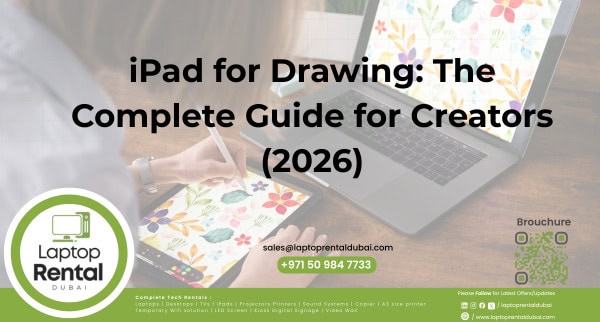

Are you looking for the best iPad for drawing but unsure which model, accessories, or setup you actually need? With options like an iPad with a pen, an iPad with a keyboard, and an iPad with a SIM card, choosing the right configuration can feel overwhelming.
This guide answers the most common questions artists, designers, and students ask clearly and practically so you can decide whether buying or renting an iPad makes sense in 2026.

What Makes an iPad for Drawing So Popular?
An iPad for drawing combines portability, performance, and precision in a single device. Unlike traditional drawing tablets, an iPad works as a complete creative tool.
Why creatives prefer iPads:
- Natural pen-on-screen drawing experience
- Powerful apps for illustration and digital art
- Lightweight and easy to carry
- Suitable for both creative work and everyday tasks
From beginners to professional artists, iPads are widely used for sketching, illustration, and concept design.
Is an iPad with a Pen Necessary for Drawing?
Yes. If drawing is your main goal, an iPad with a pen is essential.
Benefits of using an iPad with a pen:
- Pressure sensitivity for natural strokes
- Tilt support for shading
- Low latency and high accuracy
- Better control compared to finger input
Most professional drawing apps are designed specifically for stylus use, making the pen a must-have for artists.
Best iPad Models for Drawing
When choosing an iPad for drawing, focus on display quality, performance, and stylus compatibility.
What to look for:
- High-resolution display
- Smooth refresh rate
- Accurate color reproduction
- Compatibility with Apple Pencil
There are suitable iPad models for both casual and professional artists, depending on workload and budget.
Is an iPad with a Keyboard Useful for Artists?
An iPad with a keyboard is not required for drawing, but it can significantly improve productivity.
When an iPad with a keyboard is useful:
- Taking notes or writing scripts
- Editing documents
- Switching between creative and work tasks
- Using the iPad as a laptop replacement
Many creatives draw using an iPad with a pen and add a keyboard when needed for work-related tasks.
Do You Need Cellular on an iPad with a SIM Card?
An iPad with a SIM card is ideal for users who work on the move.
Benefits of an iPad with a SIM card:
- Internet access without relying on Wi-Fi
- Easy file uploads and downloads
- Cloud syncing from anywhere
- Perfect for travel and outdoor work
If you sketch, design, or present outside your workspace, cellular connectivity adds real value.
Buying vs Renting an iPad for Drawing
Buying an iPad isn’t always the best option—especially for short-term or project-based use.
Buying makes sense if:
- You draw regularly
- You want long-term ownership.
- You use your iPad daily.
Renting makes sense if:
- You need an iPad temporarily.
- You want to test before buying.
- You need multiple devices for a short time
iPad Rental in Dubai: A Smart Choice
iPad rental Dubai is a flexible and cost-effective solution for artists, students, businesses, and event organizers.
With iPad rental Dubai, you get access to:
- The latest iPads are suitable for drawing.
- iPad with pen, iPad with keyboard, and iPad with SIM card options
- Short-term and long-term rental plans
- Delivery and technical support across the UAE
This is ideal for workshops, training programs, exhibitions, creative projects, and short-term teams.
People Also Ask (FAQs)
Yes. An iPad for drawing is beginner-friendly and supports many easy-to-learn apps.
Yes. With the right apps and an iPad with a pen, it works as a powerful drawing tablet.
No. A keyboard is optional and mainly helps with productivity tasks.
For short-term or bulk requirements, renting is usually more affordable.
Final Thoughts: Is an iPad for Drawing Worth It?
In 2026, an iPad for drawing is One of the most versatile tools available to digital artists. With options like an iPad with a pen for precision, an iPad with a keyboard for productivity, and an iPad with a SIM card for mobility, you can tailor your setup to your workflow.
If flexibility matters more than ownership, iPad rental in Dubai offers a practical way to access high-performance iPads without a high upfront cost—making it easier to create, experiment, and deliver results anywhere across the UAE.
Why Rent an iPad in Dubai for Drawing?
iPad Rental Dubai provides flexible iPad rental solutions across the UAE for students, artists, designers, and businesses.
Key benefits include:
- Latest iPads ideal for drawing and creative work
- Apple Pencil and keyboard options available
- Competitive rental pricing
- Short-term and bulk rental plans
- UAE-wide delivery and dedicated support
iPad Rental Services Across the UAE
iPad Rental Dubai proudly serves all Emirates:
📍 Dubai – Creative studios, offices, and events
📍 Abu Dhabi – Business projects and training programs
📍 Sharjah – Schools and workshops
📍 Fujairah – Conferences and short-term projects
📍 Ajman, Ras Al Khaimah & Umm Al Quwain – Business and personal use
No matter where you are, iPad Rental Dubai ensures fast delivery, professional setup, and reliable support across the UAE.
CONTACT US
As creative workflows evolve, many users are choosing iPad rental instead of buying. With flexible plans and the latest devices, iPad Rental Dubai makes it easy to get started.